

 The Opera and Brave browsers are blocking many legitimate images. Thanks to the Opera settings “Block Ads” and “Block Trackers”, lots of legitimate (non-ad) images are broken. For Brave it’s the setting, “Block cross-site trackers”. The reason seems to be that the blocking feature in Opera and Brave is determining (at least in part) if images should be blocked based on the page URL and file name.
 More specifically, any image that includes a phrase such as “ads” or “google” in the URL or file name will be blocked. This can be seen by visiting the WordPress Plugin Directory, and searching for plugins that include “ads” or “google”. You will find that some of the plugin images are not displayed in Opera. The same is true for the Brave browser, and possibly others, which we’ll discuss further on.
Opera ad/tracking blocker = false positives galore. Same with Brave.
What’s happening?
Opera, Brave, and probably other browsers (haven’t had a chance to check them all) are blocking images that should not be blocked. These browsers include features that disable ads and trackers, which are enabled by default. That means millions of people are surfing around getting missing/broken images all over the Web. Do the math. Talking millions of false-positive, broken images every day.
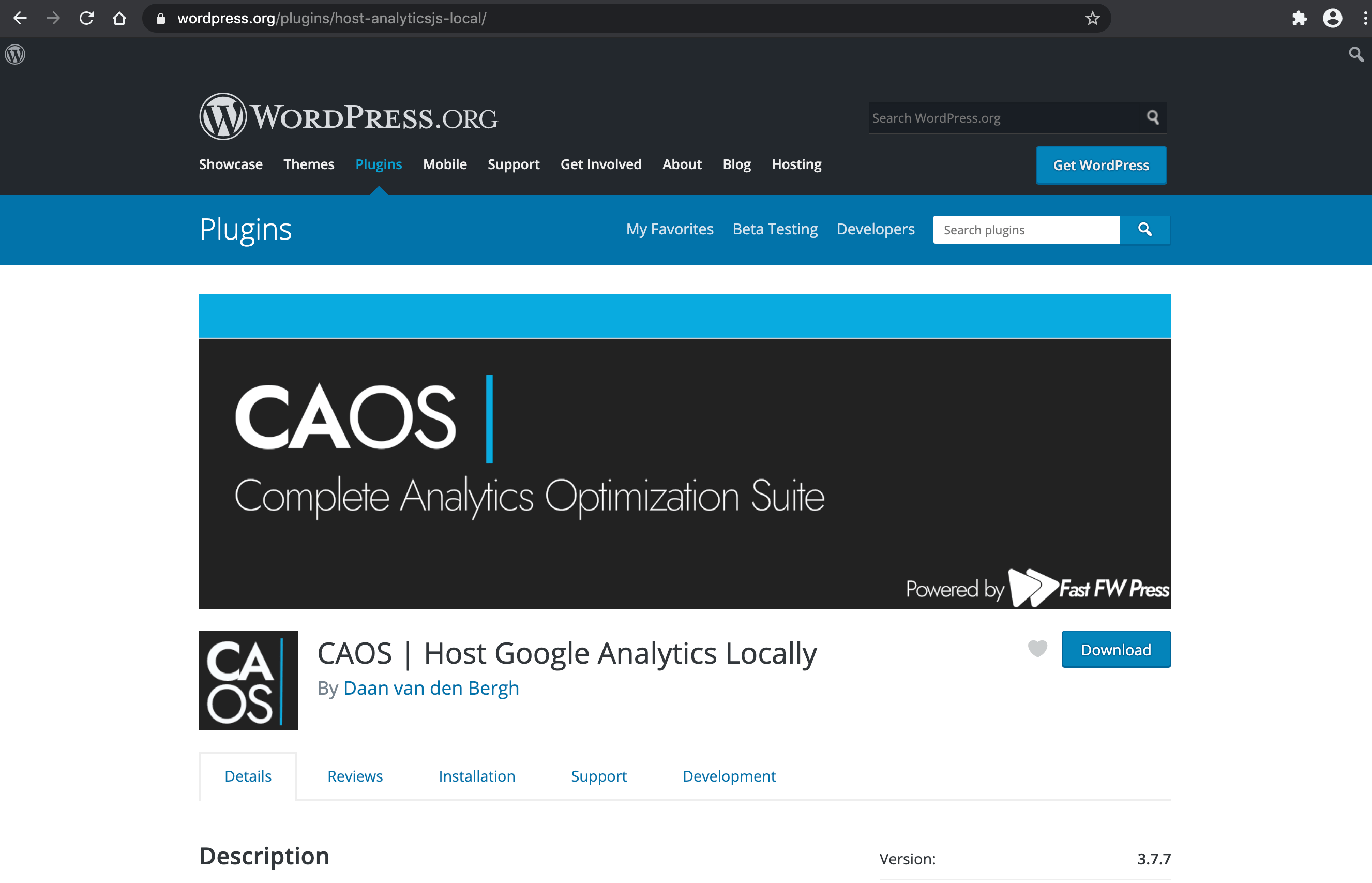 Chrome browser displays all images correctly for the CAOS plugin..
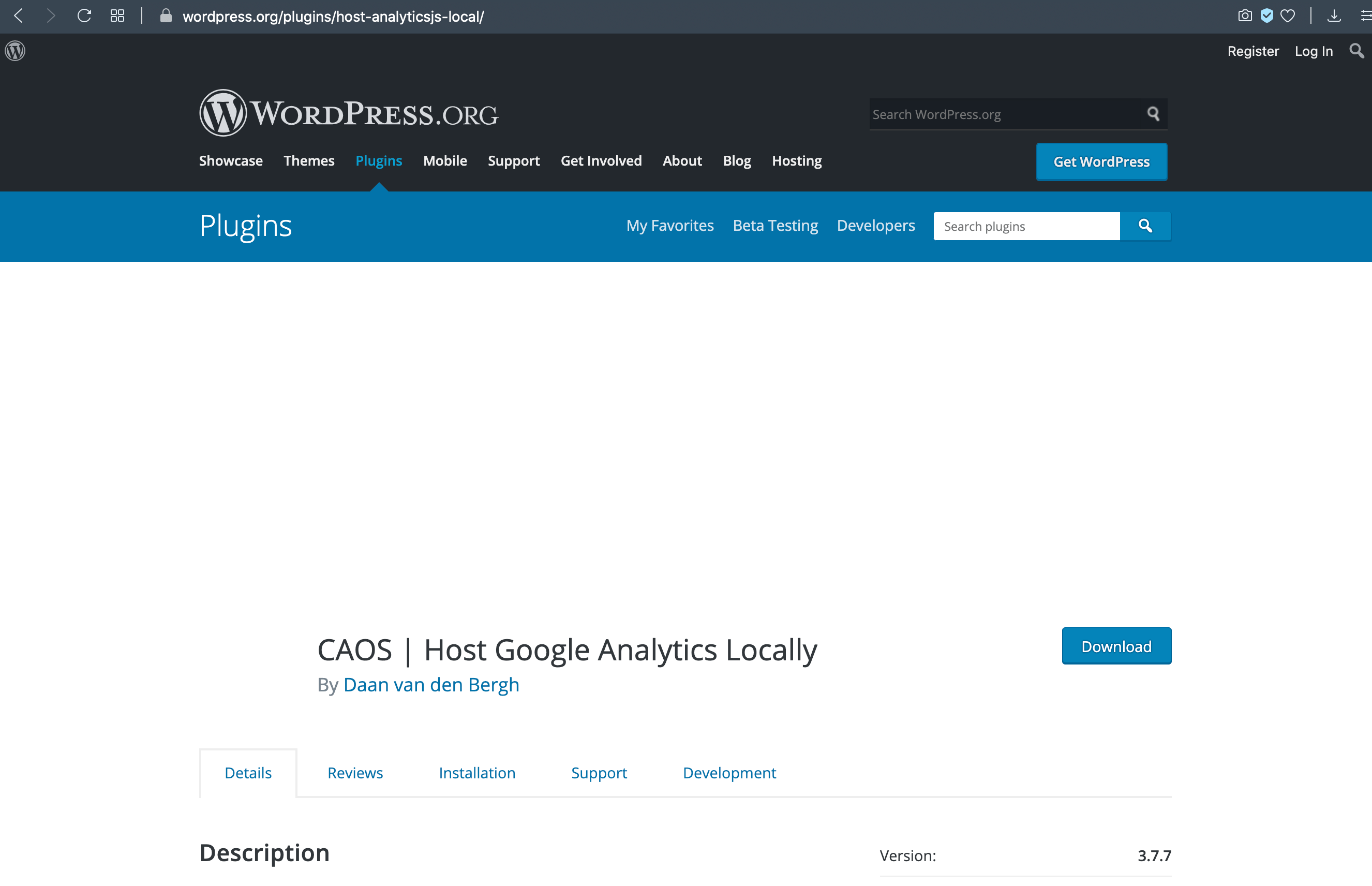 ..but in Opera (and Brave) the images are broken.
And this is happening out of the box. So all users who have not gone out of their way to disable the “Block Ads” and “Block Tracking” options are missing possibly important and/or useful information while browsing the Internet. And I’m guessing probably that only a small percentage of options users are going to disable something as useful sounding as “Block Ads” or “Block Tracking”. So that means the vast majority of Opera and Brave users are surfing, essentially, a broken Web.
Yes the ad-blocking feature does stop some actual advertisements, but it’s also breaking many legitimate images due to overzealous blocking of any resource that includes a phrase such as “adsense”, “google”, or “analytics” (and probably others) in the URL or file name. At least, that is what I *think* is happening.
I can tell you from experience that blocking based on legitimate strings found in URLs and/or file names is a bad move. If you must block a resource based ONLY on the path info in the request (e.g., if the URL contains “ad” or “google”), then you’re doing it wrong. And will cause more problems than you solve.
Examples
Using default Opera (or Brave) settings, visit any of the following plugin searches at the Plugin Directory and scan down thru the results. Compare the results with other browsers like Chrome or Firefox, which display the missing images just fine.
- https://wordpress.org/plugins/search/ad/
- https://wordpress.org/plugins/search/adsense/
- https://wordpress.org/plugins/search/analytics/
- https://wordpress.org/plugins/search/google/
You will notice that images are not displayed for numerous images. And if you inspect the page using the browser code inspector, you will find lots of related “ad-blocking” errors (via the Console tab). Here are some specific examples of plugin pages that have broken images (compare these pages on Opera vs. Chrome):
- https://wordpress.org/plugins/ad-inserter/
- https://wordpress.org/plugins/quick-adsense-reloaded/
- https://wordpress.org/plugins/google-tag-manager/
- https://wordpress.org/plugins/googleanalytics/
- https://wordpress.org/plugins/google-analyticator/
- https://wordpress.org/plugins/better-analytics/
- https://wordpress.org/plugins/host-analyticsjs-local/
- https://wordpress.org/plugins/woocommerce-google-adwords-conversion-tracking-tag/
And not just the banner and icon images, but all of the screenshots as well. Most plugins provide a set of screenshots to give an idea of how the app looks, etc. But for plugins/images that include any of the forbidden phrases (or whatever is happening), the screenshots are all broken, not displayed.
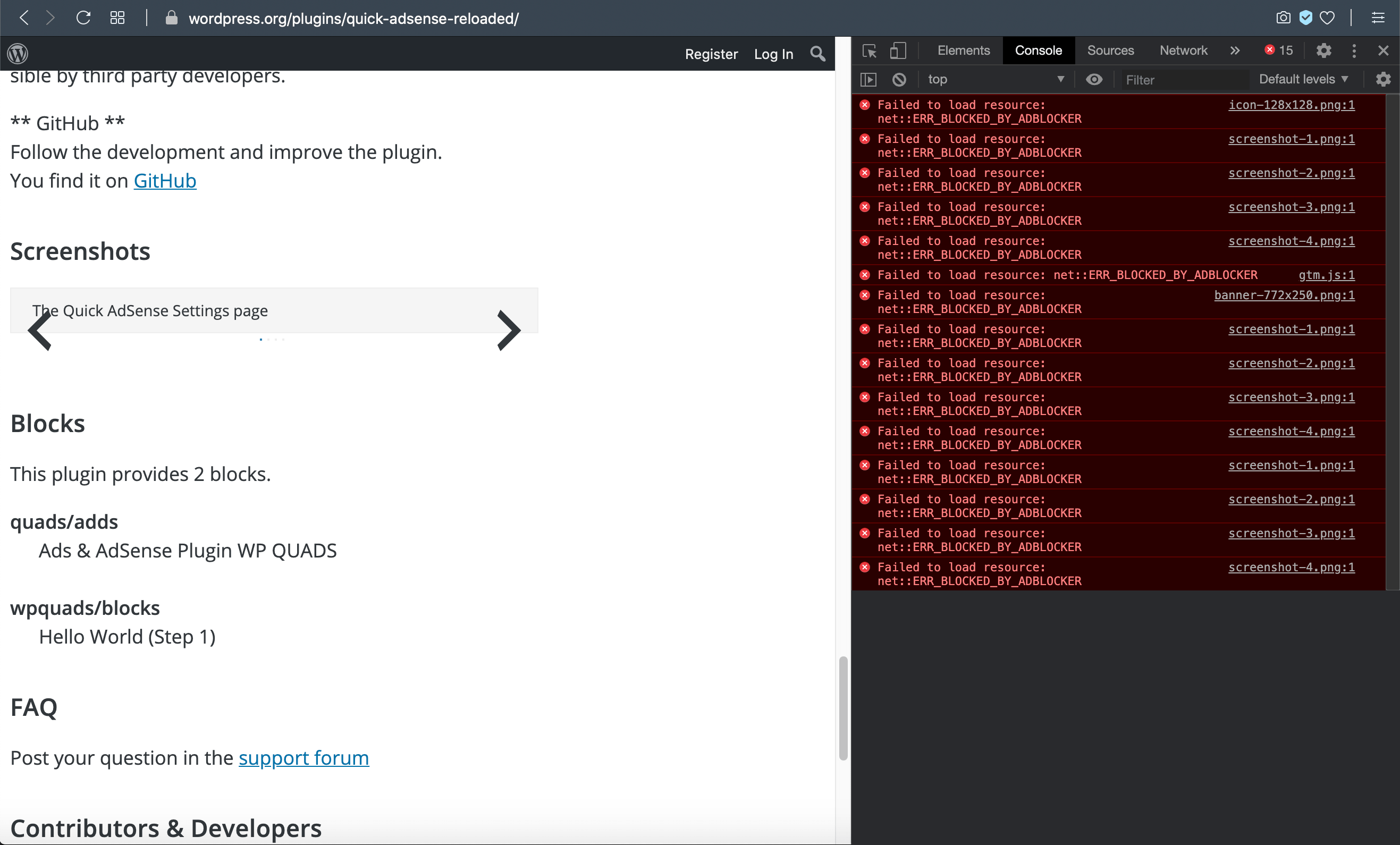 Opera browser displaying a plugin page at WordPress.org, notice the missing screenshots and related console errors
There are hundreds of plugins with missing images. And that’s just at WordPress.org. When you consider the scope of the Web and popularity of Opera (and Brave), there are probably millions of legitimate images getting blocked every day. Do the math on that: it’s a boatload of false positives.
Opera under the hood
In Opera, by default the settings “Block Ads” and “Block Trackers” are enabled. So when you visit any web page that displays an image that includes one of the blocked strings (like ad or google), the image will be blocked. If you inspect the code in Opera, you will find the following error for each blocked image:
Failed to load resource: net::ERR_BLOCKED_BY_ADBLOCKERThat error/flag will display for any image that is blocked by either of the settings “Block Ads” or “Block Trackers”. There is no ERR_BLOCKED_BY_TRACKERBLOCKER message that I have seen.
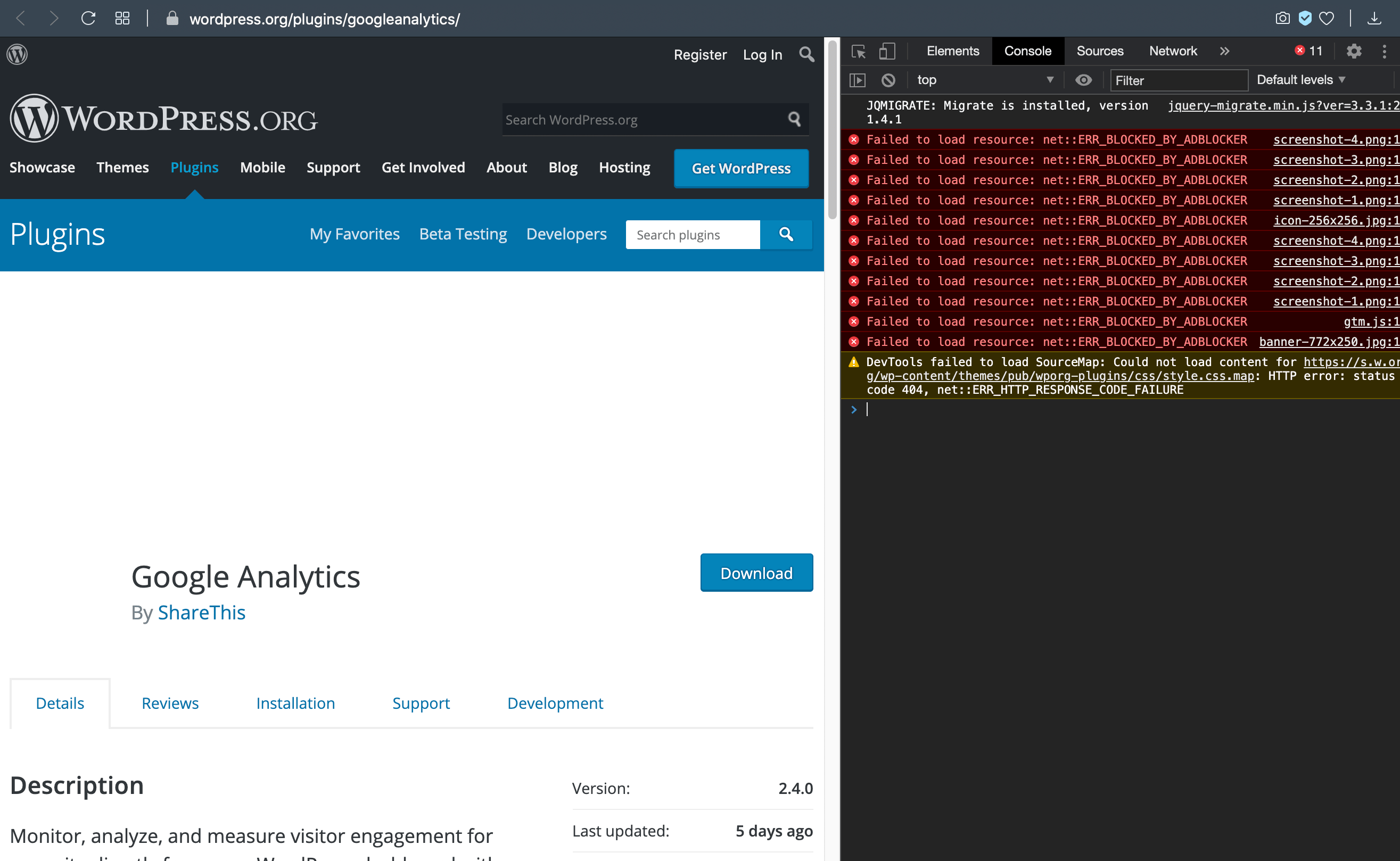 Opera browser code inspector showing lots of ADBLOCKER errors, each corresponds to a broken legitimate resource
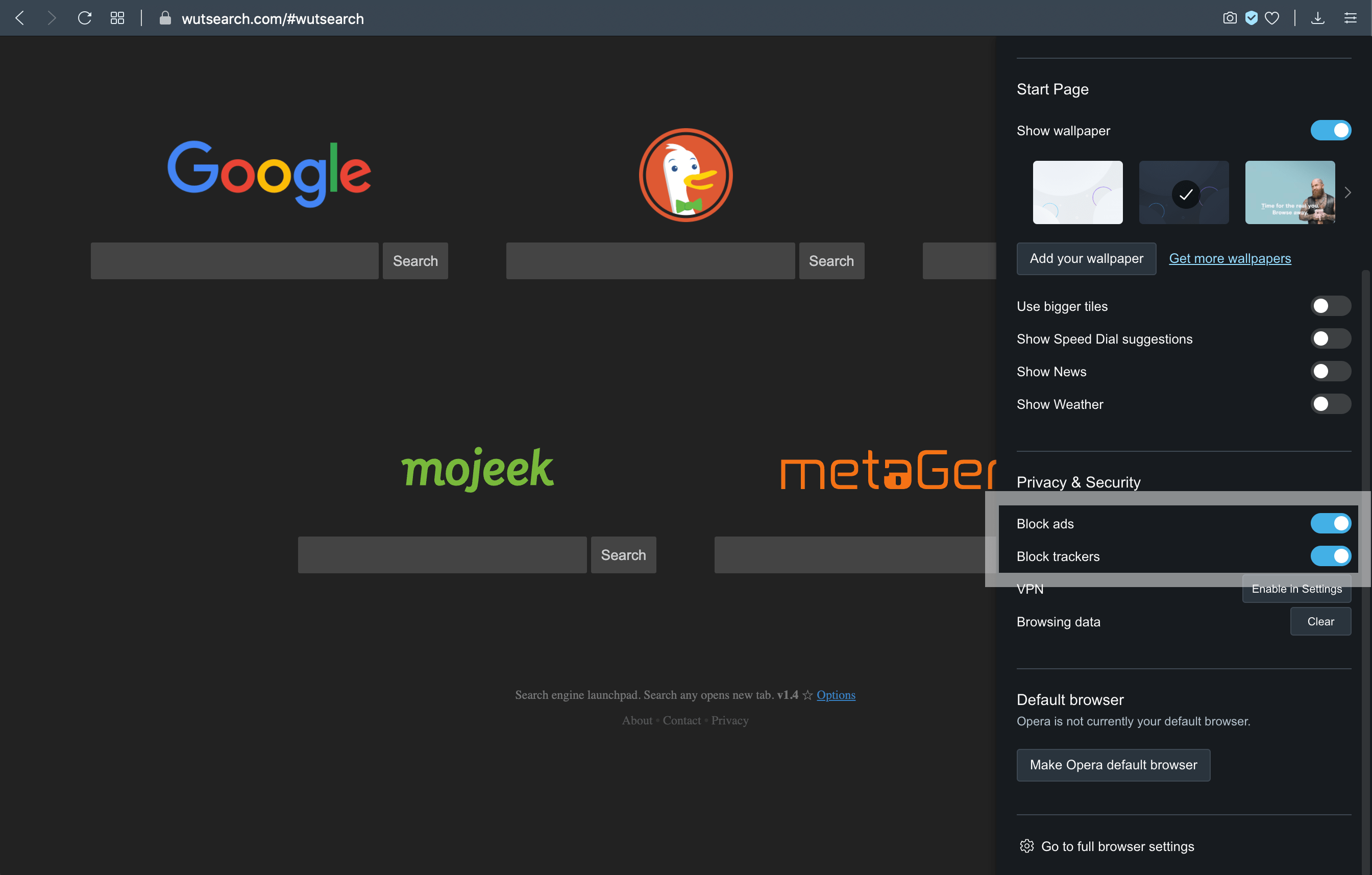 In Opera, the relevant settings are “Block ads” and “Block trackers”. These options are available in the “Privacy Protection” settings.
Brave under the hood
For Brave, it’s the same basic deal, only there is no “Block Ads” setting. All of the blocked images in Brave happen because of the setting, Shields ▸ Block cross-site trackers. And that setting is enabled by default in the browser. So like with Opera, all Brave users that have not disabled “block tracking” are missing potentially important information due to false-positive resource blocking.
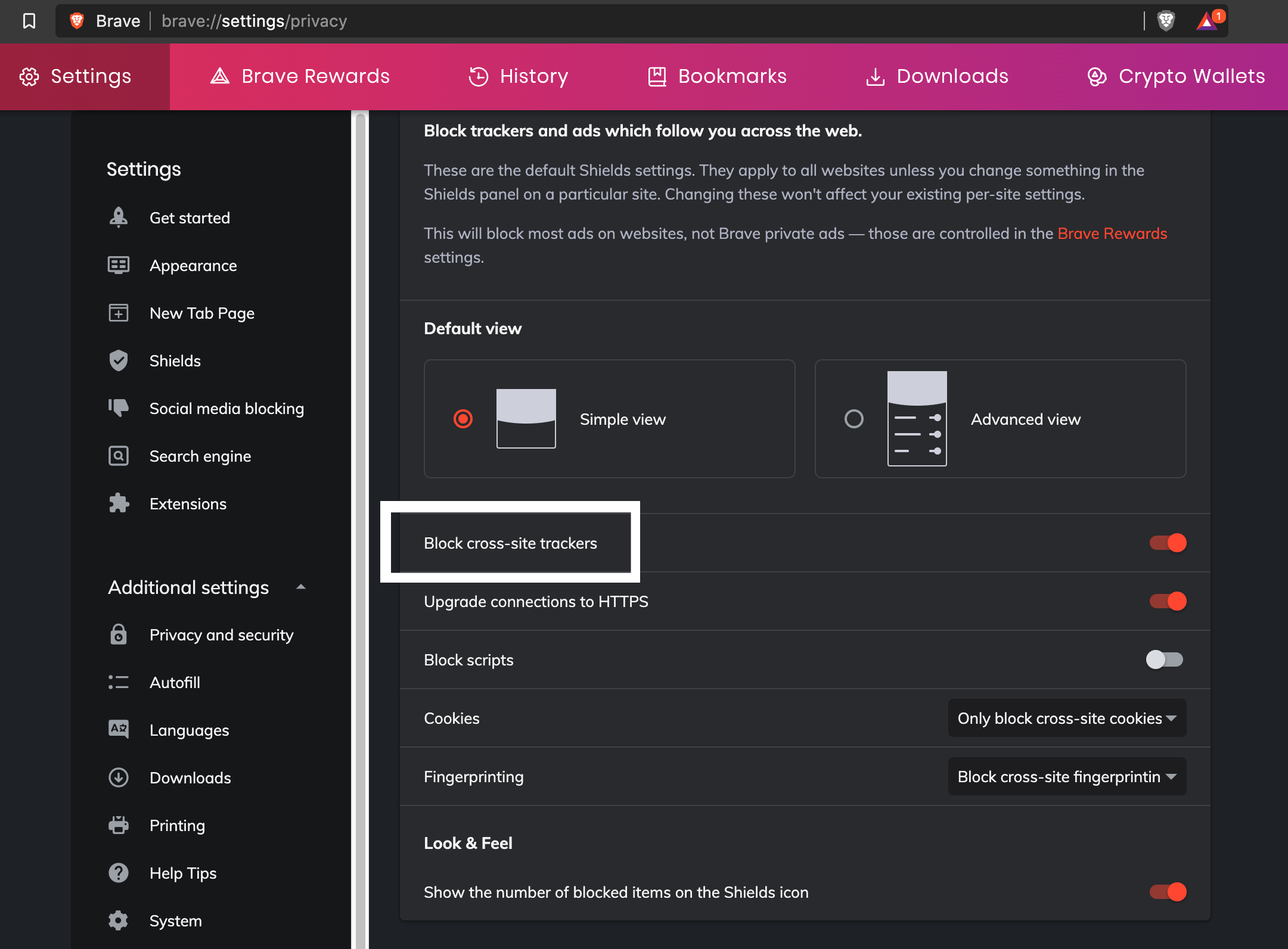 In Brave, look for Shields ▸ “Block cross-site trackers” in the browser settings
If you inspect the code for broken resources in Brave, you’ll notice that blocked images are replaced by a tiny 1-pixel image:
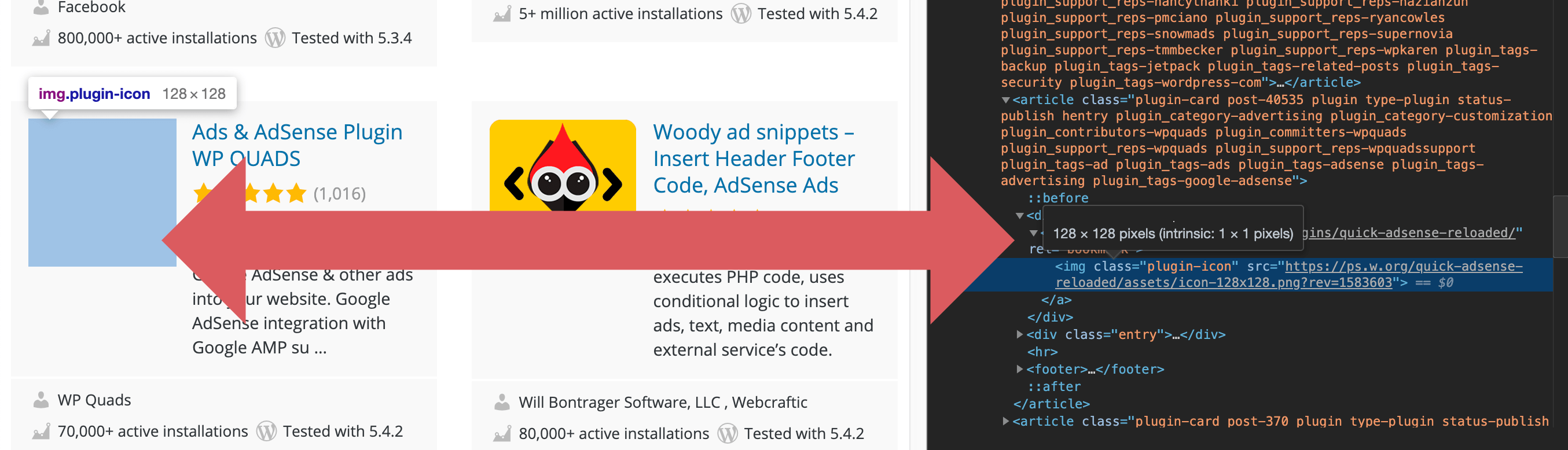 Showing Brave replacing a blocked thumbnail with a 1-pixel image
Unlike with Opera, Brave displays no corresponding error/infos in its built-in code inspector. That would be useful though.
The solution
For the browser developers
The real solution is for Opera and Brave to improve/fix their file-blocking routines. Simple pattern-matching “google”, “analytics”, and who knows what other commonly used words is the wrong way to do it. You need better, more stringent criteria to avoid millions of false positives.
Don’t put it on your millions of users to choose between ad blocking and false positives. Figure out a better way to determine which images to block, and then do plenty of testing to ensure the rate of false positives is at a minimum.
For the browser users
If you want to view ALL legit images when using Opera or Brave, the only way is to disable ad blocking and tracker blocking. Of course, that means you’ll need to find an extension to block ads that you don’t want to see. Something with fewer false positives than you’re getting from the built-in browser blockers.
For website admins and social media peeps
If you want your images and other files to be seen and accessed by everyone, make sure to avoid using “ads”, “adsense”, “analytics”, “google”, and similar phrases. Anything that may resemble or refer to anything ad-related. Exclude such strings not only in the file name, but also in the entire URL, path and all. Otherwise your images will get blocked by overzealous and/or undiscerning browsers like Opera and Brave.
Other browsers
The broken images issue does not happen in Chrome, Firefox/Waterfox, Safari, or Edge. I am testing only on desktop, so mobile browser apps may yield different results. If you belong to any of the groups mentioned above, I encourage you to do your own testing. Unless you don’t happen to care about Opera and Brave users lol.
IF you are on Firefox, Chrome, or any of the above browsers, and are getting broken images. It’s probably because of an addon or extension like Ad Block, uBlock Origin, or similar. So check your addons, extensions, mods, etc.
Request for infos
If you happen to know of any other strings besides “ads”, “adsense”, “analytics”, or “google” that are blocked when included in a URI, please share in the comments below. Or if I am completely incorrect in my hypothesis, maybe the broken images are not because of pattern-matching forbidden terms. Maybe there is some other explanation, I would love to know.
Note: if comments are closed please send a quick email via my contact form. I will update the post with any new/relevant information going forward. Thanks!

Source: Security Feed